Smart sorting, more time to enjoy

Get the most out of your feeder camera

Feedie is a lightweight Windows, macOS, and Linux app (AppImage). In a few clicks you scan full SD cards, see which visitors showed up, and export your best photos. The UI is available in Dutch, English, French, German, Spanish, and Swedish.

Loading latest release...

Feedie app banner
About Feedie

A helpful assistant for feeder camera photos

Feeder cameras often generate hundreds of images without an easy way to sort them. Feedie is built for families, schools, and nature lovers who just want to see who visited their garden. Everything runs locally, no cloud account is required, and the UI stays clear with simple tabs.

Background and motivation

Many existing tools are complex, often lack language support, and use a lot of memory. Feedie keeps the install small, runs fast on a normal CPU, and is tuned for common species in Belgium and the Netherlands. That means less time sorting and more time enjoying your visitors.

Tips:

  • Increase the variety of species by placing the camera in a wilder garden corner and changing food types. Snow and ice days increase the abundance of observations. Be sure to offer a variety of unspoiled food.
  • Plant native flowers, shrubs, and trees to attract insects and birds.
  • No garden? City birds still bring surprises to feeder cameras.
Overview of detected species in Feedie
Download and install

Step by step

Windows

  1. Download the installer via the button above.
  2. Double-click FeedieSetup-<version>.exe.
  3. Accept the security prompt (unknown publisher) and follow the wizard.
  4. Find Feedie in the Start menu.

macOS

  1. Download Feedie-mac-<arch>-<version>.zip.
  2. Open the zip and drag Feedie.app to Applications.
  3. Open Feedie from Launchpad. Right-click to accept the warning on first launch.

Linux

  1. Download Feedie-linux-x86_64-<version>.AppImage or Feedie-linux-aarch64-<version>.AppImage (Chromebook/ARM64).
  2. Make it executable with chmod +x.
  3. Run the AppImage from your file manager.

Chromebook (ARM64)

  1. Enable Linux (Crostini) in ChromeOS Settings.
  2. Update packages: sudo apt update && sudo apt -y upgrade.
  3. Install runtime libs if not already satisfied: sudo apt install -y libgtk-3-0 libx11-6 libxkbcommon0 libxrandr2 libxinerama1 libxcursor1 libxi6 libgl1
  4. Copy the AppImage from Downloads: cp /mnt/chromeos/MyFiles/Downloads/Feedie-linux-aarch64-<version>.AppImage ~/
  5. Launch Feedie: chmod +x ~/Feedie-linux-<architecture>-<version>.AppImage && ~/Feedie-linux-<architecture>-<version>.AppImage

On first launch Feedie copies the bundled model into your user profile. You can scan immediately without creating an account or being online.

How it works

From SD card to tidy species folders

Choose photo folder

1. Choose your photo folder

Select the SD-card folder and choose whether to include subfolders (for best performance, copy it to your hard drive first). Feedie counts the files and enables scanning. If the folder was scanned before, cached results can be opened instantly.
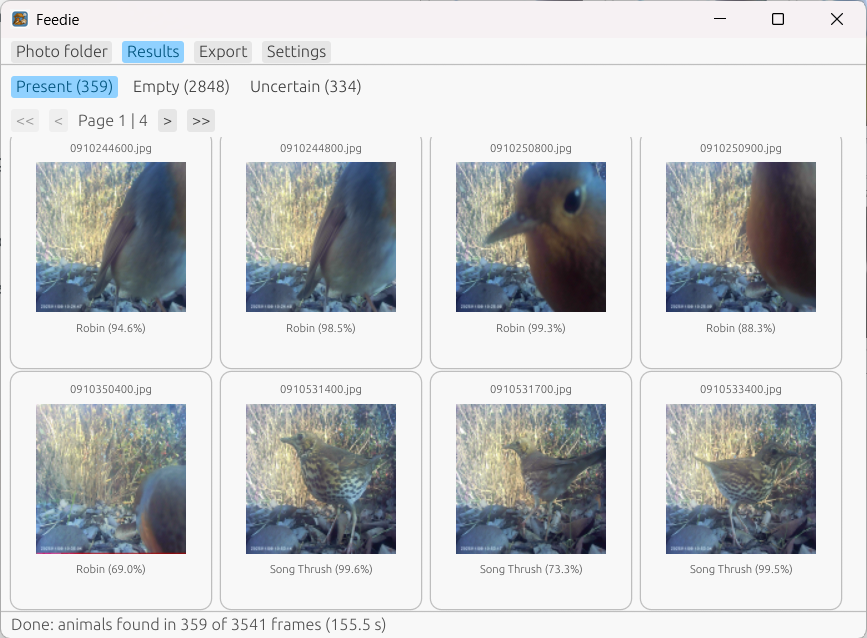
Gallery results

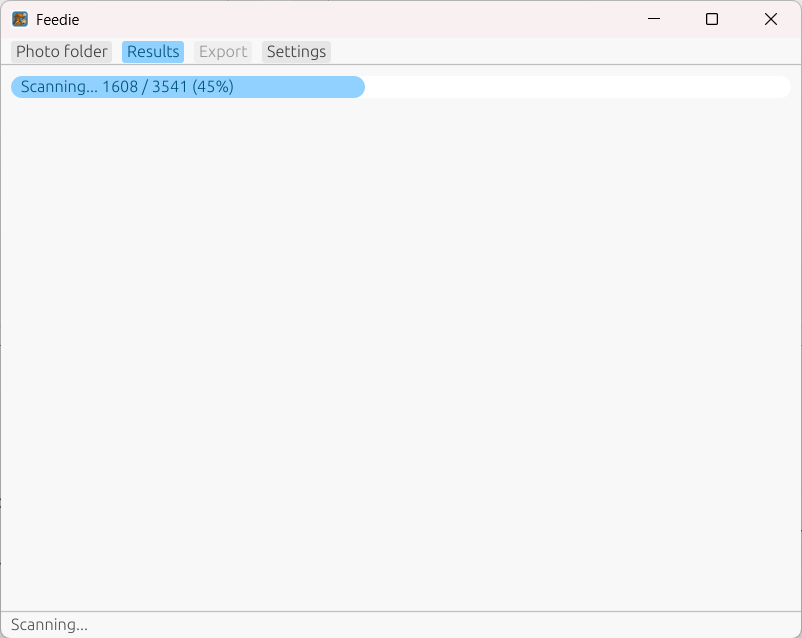
2. Scan the folder

Feedie shows scanning progress. Large folders take some time, but expect roughly 5-10 seconds per 100 photos on a typical laptop.

Labels and filters

3. Review and adjust

Use Present, Empty, and Uncertain tabs to review results. Navigate with PgUp/Dn and Ctrl/Cmd shortcuts. Select one or more photos and right-click for actions.

Photo viewer

4. View full-resolution photos

Double-click a photo in the gallery to open the viewer. Use arrow keys to move through the gallery, and use right-click actions on the focused photo.

Export dialog

5. Export neatly

Select the galleries you want to export, pick a destination, and Feedie writes folders per species. Add CSV export to upload results to Observation.

Settings dialog

6. Stay in control

In Settings you can adjust the confidence threshold, background labels, and language. Versions are shown at the bottom. On Windows, app updates can be installed directly.

License

Free for non-commercial use

Feedie is distributed under the PolyForm Noncommercial License 1.0.0. You can use and modify the app for personal or educational use. For commercial licensing, contact the maintainers on GitHub.